
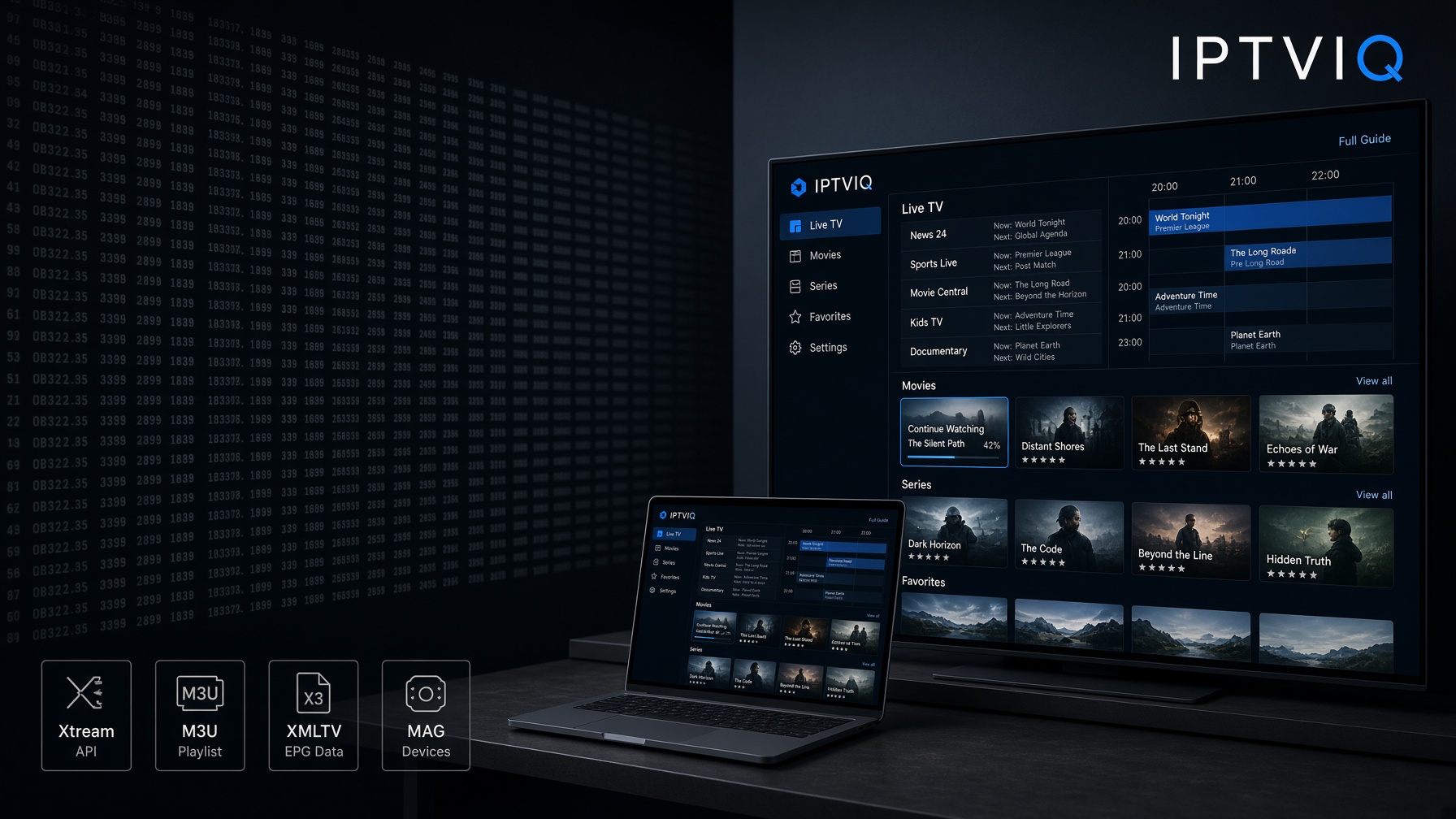
A basic IPTV player does one job well enough: it opens a playlist and starts a stream. That is useful for a quick test. It becomes a problem when the library is large. Thousands of channels, a VOD catalog, series folders, and a guide file do not behave like television just because they can be played. They behave like a dump of links until something organizes them.
IPTVIQ is built for that second problem.
It is a native macOS IPTV player for sources you already have. Connect a compatible Xtream Codes account, an M3U or M3U8 playlist, an XMLTV guide, or a Stalker, MAG, or Ministra portal. IPTVIQ arranges what that source exposes and plays it. The app does not include channels, does not sell a package, and does not recommend a subscription. If there is no legal source to connect, there is nothing for IPTVIQ to show. That is the same rule as a video player without a video file.
The current public app runs on macOS 14 or later. Other screens are part of the product direction. They are not a reason to describe IPTVIQ today as a phone-and-TV ecosystem that already exists.
What IPTVIQ is not
Clarity matters more in this category than adjectives.
IPTVIQ is not an IPTV provider.
IPTVIQ is not a channel list.
IPTVIQ is not a cloud service that sits between your provider and the picture.
Playback is meant to stay direct:
IPTV Provider → IPTVIQ on the Mac
Not:
IPTV Provider → IPTVIQ server → the Mac
That line decides how every later feature should be read. Favorites, resume points, and profiles are player state. The stream is still the provider’s stream.
Connect the sources you actually use
Many households do not live on one format. One account may be Xtream. An older list may still be M3U. Guide data may arrive as XMLTV. A portal login may still be Stalker, MAG, or Ministra.
IPTVIQ is designed to add those sources side by side and switch between them. Each source can use its own proxy profile if needed: Direct, HTTP, HTTPS, or SOCKS5, separately for connection traffic and media traffic. That is an advanced setup tool. It is not a requirement, and it is not a reason to route living-room television through someone else’s relay.
Once a source is connected, the player can expose Live TV, movies, series, and guide data from the same application instead of leaving the user in a flat file.
Why a playlist player stops being enough
A raw list does not care what you watched yesterday. It does not remember minute 42. It does not separate a child’s library from an adult one. It does not put tonight’s program next to the channel name. It simply renders entries.
When a catalog grows, the cost of that simplicity shows up every evening. People scroll categories they do not use. They reopen the same sports channel by hunting rather than recalling. They start a film twice. They give a shared computer one messy history.
A smarter player is not smarter because it supports one extra protocol. It is smarter because it treats the catalog as something to browse, resume, filter, restrict, and record.
Live TV with a guide attached
Live television is still the center of most IPTV use.
IPTVIQ approaches live TV as a navigation problem, not only a playback problem. Category browsing, numeric channel entry, and Recall for the last channel reduce the time spent finding a stream you already know. A per-channel guide and a mini-EPG overlay during playback add the missing television layer: what is on now, what comes next, and whether the current program is worth staying with.
The guide is only as complete as the source. IPTVIQ can organize XMLTV or provider guide data. It cannot invent a full schedule if the source does not supply one. That dependency should stay visible. A polished interface does not replace missing metadata.
Movies and series in the same environment
Compatible sources also expose movies and series. In a basic player those titles often feel like another folder. In IPTVIQ they sit in the same viewing environment as live channels.
That matters because daily use is mixed. Someone checks a live news channel, then returns to a series, then records a match. Switching apps to do that is friction. A single library with Continue Watching is closer to how people already use streaming platforms, with one important difference: the catalog still belongs to the user’s source. IPTVIQ can remember progress. It cannot create a Netflix-style storefront out of a poorly labeled list.
Search instead of endless scrolling
Discovery is the quiet failure of large IPTV libraries. The title exists. The user cannot find it.
IPTVIQ includes search across the available catalog so the user can go to a name instead of walking category trees. Search quality still follows metadata quality. Clean titles and guide data make the feature feel immediate. A chaotic playlist makes every player look weaker than it is. The honest claim is not “universal magic.” The honest claim is that the player is built to search the library it loaded, not to force the user through it by hand.
Favorites and history make the catalog personal
Two people can share one source and still want two different products.
Favorites cut a personal row out of a huge list. History and Continue Watching bring back what was already started. In IPTVIQ those lists are profile-aware. A sports-heavy favorites row should not become the default face of the app for everyone on the same Mac, and a child’s trail should not rewrite an adult Continue Watching row.
This is the simplest version of “smarter.” The source stays generic. The player remembers how this household actually watches.
Catch-up, restart, and local recording are not the same tool
Articles often flatten three features into one sentence. They are not the same.
Catch-up means the provider kept a program after it aired.
Watch-from-start means the provider allows a jump to the beginning of the current show.
Local DVR means IPTVIQ records a compatible live stream to a folder you choose.
The first two are source features that the player can expose when they exist. The third is under the player’s control. IPTVIQ should not be described as if every live channel can be paused and rewound like a downloaded file. When the source supports catch-up or restart, linear TV becomes more flexible. When it does not, recording is the fallback that still belongs to the user.
Local DVR, not cloud DVR
The current DVR model is manual and local. Record a stream you are authorized to watch. Save it to a folder on the machine. Play it later.
That is personal time-shifting, not redistribution. The file does not become a cloud library. It does not travel automatically to another device. Scheduled or EPG-based recording is the obvious next step for a guide-driven recorder, and it is part of the product direction. It is not the current Mac workflow.
Keeping DVR local is also an architecture choice. A recorded match is a large media file. A favorite channel is a small piece of state. Mixing those two ideas is how a player accidentally turns into a storage product.
Two streams and a stream that comes back
Sports and news are the cases where a single full-screen channel is not always enough. IPTVIQ supports two-stream multiview, so two compatible live channels can sit side by side. That is a playback layout, not a second subscription and not a server-side mix.
Smart Recovery covers a different annoyance: a brief drop that used to kill the session. The player is designed to detect a real stall and reconnect instead of leaving the window stuck. No player can invent a stable source. It can refuse to treat a two-second blip as the end of the evening.
Profiles, including Kids
A household is not one viewer.
IPTVIQ gives each profile its own history and favorites. Kids profiles are not a sticker. They enforce an approved-content policy across Home, Search, Guide, and playback. A restriction that only hides a poster and still allows the title from search is not a control system. The current app treats the restriction as something that has to hold everywhere the child can reach.
That design is also why profiles belong in any future sync conversation. A Kids rule that lives on one Mac only is unfinished the moment a second household screen exists. The rule should travel. The video still should not.
Multi-device thinking without fake availability
People watch on more than one screen. That instinct is correct. The shipping status has to stay honest.
Today the published app is the Mac player. Apple TV, iPhone, iPad, Windows, and Android are planned. Cloud Sync is not listed as a current Mac feature. If it arrives, it should copy user state: sources, favorites, watch history, resume position, selected settings, EPG mappings, profiles, and Kids approvals. It should not copy DVR files in the first design, and it should not mean the live channel is passing through an IPTVIQ server.
Cloud Sync is not Cloud Streaming. Minute 42 on a Mac should later become minute 42 on another signed-in device. The file or live stream should still open from the provider to that device.
QR pairing, a web portal, and a device dashboard are attractive living-room ideas. They are not the center of the current app and should not be sold as if every user already manages a row of connected televisions from a website.
Formats and practical playback
IPTV sources do not speak one protocol. A player that wants to stay useful across real lists needs room for common delivery methods such as HLS, MPEG-TS, MPEG-DASH, and MP4. Compatibility still depends on the source, the codec, and the network. Format support is a foundation. Organization is the product.
IPTVIQ vs a basic player
The difference is not “can it play the stream.” Most players can. The difference is what happens after the stream is playable.
| Feature | Basic IPTV player | IPTVIQ today on Mac | IPTVIQ direction |
|---|---|---|---|
| Live playback | Yes | Yes | Yes |
| M3U / M3U8 | Often | Yes | Yes |
| Xtream | Often | Yes | Yes |
| Stalker / MAG / Ministra | Limited | Supported | Supported |
| EPG | Basic or optional | Integrated | Integrated |
| Movies and series | Varies | Integrated | Integrated |
| Search | Limited | Yes | Yes |
| Favorites and history | Sometimes, often global | Per profile | Per profile, later synced |
| Continue Watching | Varies | Yes | Cross-device resume |
| Catch-up / watch from start | Varies | When the source allows | Same, source-dependent |
| DVR | Often thin | Manual local recording | Scheduled / EPG-based recording |
| Cloud DVR | Rare | No | Not the current design |
| Multiview | Uncommon | Two streams | Broader layouts if a platform fits |
| Profiles and Kids | Uncommon | Yes | Across future devices |
| Cloud Sync | Rare | Not in the current listing | State sync only |
| Other OS / TV apps | Varies | Not current | Planned |
A basic player is a playback window. IPTVIQ is trying to be the viewing environment around that window. The Mac app is the first published piece of that environment.
Who this is for
IPTVIQ is for people who already have a compatible source and want the source to feel usable.
It fits viewers who keep large live lists, watch a mix of channels and VOD, need a guide, share a household Mac, want Kids restrictions that actually hold, or want to keep a local copy of a live program. It is less necessary for someone who opens a short M3U file once a week and never touches favorites.
Sports viewers get a specific slice of that value: faster channel movement, a guide, two-stream multiview, favorites, and local recording when two events overlap. Family viewers get the other slice: separate profiles and a Kids policy that follows the child through search and playback. Both slices still depend on the same rule. IPTVIQ organizes the source. It does not replace it.
Setup stays short
The first path is simple.
- Install IPTVIQ on a supported Mac.
- Add a compatible source.
- Let the app organize live TV, movies, series, and guide data.
- Watch.
Favorites, profiles, Kids rules, recording, proxy routing, and multiview come after the first channel plays. A player that demands an account ecosystem before playback is a different product. IPTVIQ should not be described that way today.
What exists now, and what comes next
Available now: macOS 14 or later, multiple sources, live TV and EPG, movies and series, search, favorites, history, Continue Watching, profiles including Kids, manual local DVR, two-stream multiview, per-source proxy support, and Smart Recovery.
Planned: iOS, iPadOS, Apple TV, Windows, Android and Android TV, cross-device Cloud Sync of user state, and scheduled EPG-based recording.
Future candidates, not commitments: additional smart-TV platforms.
That roadmap is how the product can talk about a multi-device world without advertising an Apple TV download that is not there.
IPTVIQ is not the television service
Users must have legitimate access to anything they connect and remain responsible for provider terms, copyright law, and local rules. Recording does not change that. Sync, if it arrives, does not change that either. A local file is a personal time-shift of a stream the user could already watch. Player state is not a substitute for a subscription.
The point of a smarter player
IPTV stopped being a niche playlist years ago. The libraries got bigger. The expectations followed the apps people already use for films and live sports. Fast search, a usable guide, resume, household profiles, and a recorder are no longer exotic. They are the minimum for daily use.
IPTVIQ is built around that shift, with a discipline that a lot of marketing copy skips: keep the source with the user, keep the stream direct, organize the library on the Mac that exists today, and treat later screens as later screens.
Your source. Your content. A cleaner way to watch it.
IPTVIQ — IPTV, organized around you.